
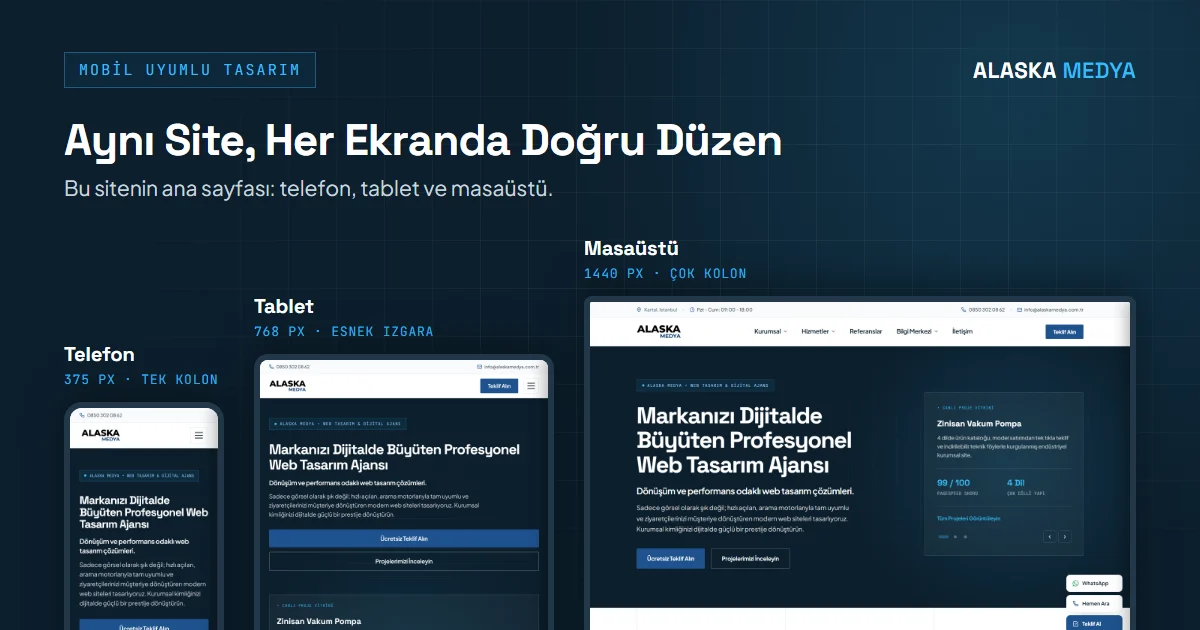
1. Mobile Traffic Dominance and Google Mobile-First Indexing
Today, the vast majority of internet traffic flows through smartphones. Even in B2B and corporate sectors, a significant portion of decision-makers, engineers, and company owners conducting purchasing decisions perform their initial research on mobile devices. In response to this radical transformation, Google has changed its indexing approach and made Mobile-First Indexing the default method for all sites. No matter how magnificent your desktop site is, Google evaluates your website from the perspective of a smartphone and determines its ranking accordingly.
Therefore, web design for businesses is no longer a process of designing on a desktop and later squeezing it onto a cell phone. The way to build a successful digital presence is to adopt modern web design standards and fluid layout disciplines that start directly from small screens and expand upward.
Note on Mobile-First Indexing: Google bases its indexing on the HTML of your mobile version. Texts, headings, or structured data (Schema) tags that do not exist at all in the mobile HTML will not be indexed or used in rankings, even if they exist on the desktop. Content hidden with CSS on mobile (such as inside an accordion) is indexed as long as it exists in the mobile HTML.
2. 4 Core Technical Standards of Responsive Design
Simply fitting a screen does not mean a website is truly "mobile-friendly." A professional responsive architecture is built upon the following 4 fundamental engineering rules:
Fluid Grid Systems
Instead of fixed pixels, modern CSS Grid, Flexbox, clamp(), and minmax() are used. The container flows mathematically and smoothly as the screen changes.
Device-Specific Images (srcset)
With the HTML5 <picture> tag and srcset attribute, lightweight WebP images optimized for narrow-screen phones and high-density images for retina screens are delivered.
Touch Target Ergonomics
Buttons and form fields meet WCAG 2.2's minimum 24×24 pixel (AA) target size rule; whenever possible, 44×44 pixel (AAA) and Material Design's recommended 48×48 pixel touch area with sufficient spacing are targeted.
No Horizontal Overflow on Page
Horizontal scrolling across the entire page is prevented. Wide tables are placed solely within internally scrollable containers, and all overflows are controlled via CSS.
3. Screen Resolutions and Sample Breakpoint Table
There are thousands of different screen sizes and aspect ratios in the market. In Alaska Medya projects, a modern CSS Breakpoint strategy focused on content rather than devices is applied; the device examples below are strictly illustrative, and breakpoints are adjusted according to the widths required by the content:
| Device & Screen Type | CSS Breakpoint | Layout & Grid | Critical UX / UI Rules |
|---|---|---|---|
| Compact Mobile iPhone SE, Galaxy S, many Androids |
< 380px | Single Column (100% Width) | Minimum 16px font size (preventing iOS auto-zoom), full-screen slide-out drawer menu. |
| Standard / Pro Mobile iPhone 15/16, Pixel |
380px - 576px | Single Column + 2-Item Number Grid | Sticky call/WhatsApp action button with one-touch at the bottom of the screen. |
| Tablet & Portrait iPad iPad Mini/Air, Foldables |
577px - 991px | 2-Column Hybrid Grid | Touch-friendly expanded cards, flexible sidebar moved to the bottom section. |
| Laptop & Desktop MacBook, Laptop Screens |
992px - 1440px | Multi-Column (3-4 Columns) + Sidebar | Wide drop-down mega menu, rich data tables, mouse hover micro-interactions. |
| Ultra-Wide Screen 1080p, 2K, 4K & Curved Monitor |
> 1440px | Maximum 1200-1320px Limit | Centered shell preventing excessive line lengths for text (margin: 0 auto; max-width). |
4. Direct Cost of Non-Mobile-Friendliness for Corporate Companies
Many B2B manufacturers and industrial organizations operate under the misconception that "We do business with corporate firms, our clients examine us from computers." However, a purchasing manager you met at a fair, a dealer waiting for a quote from your factory, or an investor reviewing your company in the evening accesses your website from their smartphone.
A site whose texts cannot be read on the phone, whose buttons cannot be clicked, or whose forms do not work creates the perception of a "company left behind in time," regardless of how established your firm is. Therefore, the first step to protecting corporate prestige today is having a mobile-friendly corporate website infrastructure planned meticulously in every detail.
B2B Reality: A large portion of B2B buyers actively use their mobile devices for purchasing research; a company with a poor mobile experience can be eliminated even before reaching the proposal stage.
5. Mobile Performance: Core Web Vitals and Touch UX Optimization
Mobile design is not limited to shrinking screen dimensions; it must also account for the device's processing power, battery consumption, and cellular network latencies. If a user cannot get an instant response when tapping a menu or filter on the page, they may abandon the site. Google uses the INP metric, which monitors touch latencies throughout the page lifecycle, to measure this process.
If heavy JavaScript codes used in your site's mobile interface lock the main processor, the visitor's finger gestures remain suspended and the page freezes. To achieve a flawless mobile user experience and protect search rankings, Google Core Web Vitals metrics (especially mobile LCP and INP) must be targeted, measured, and continuously monitored from the very first stage of design.